真实尺寸Physical size
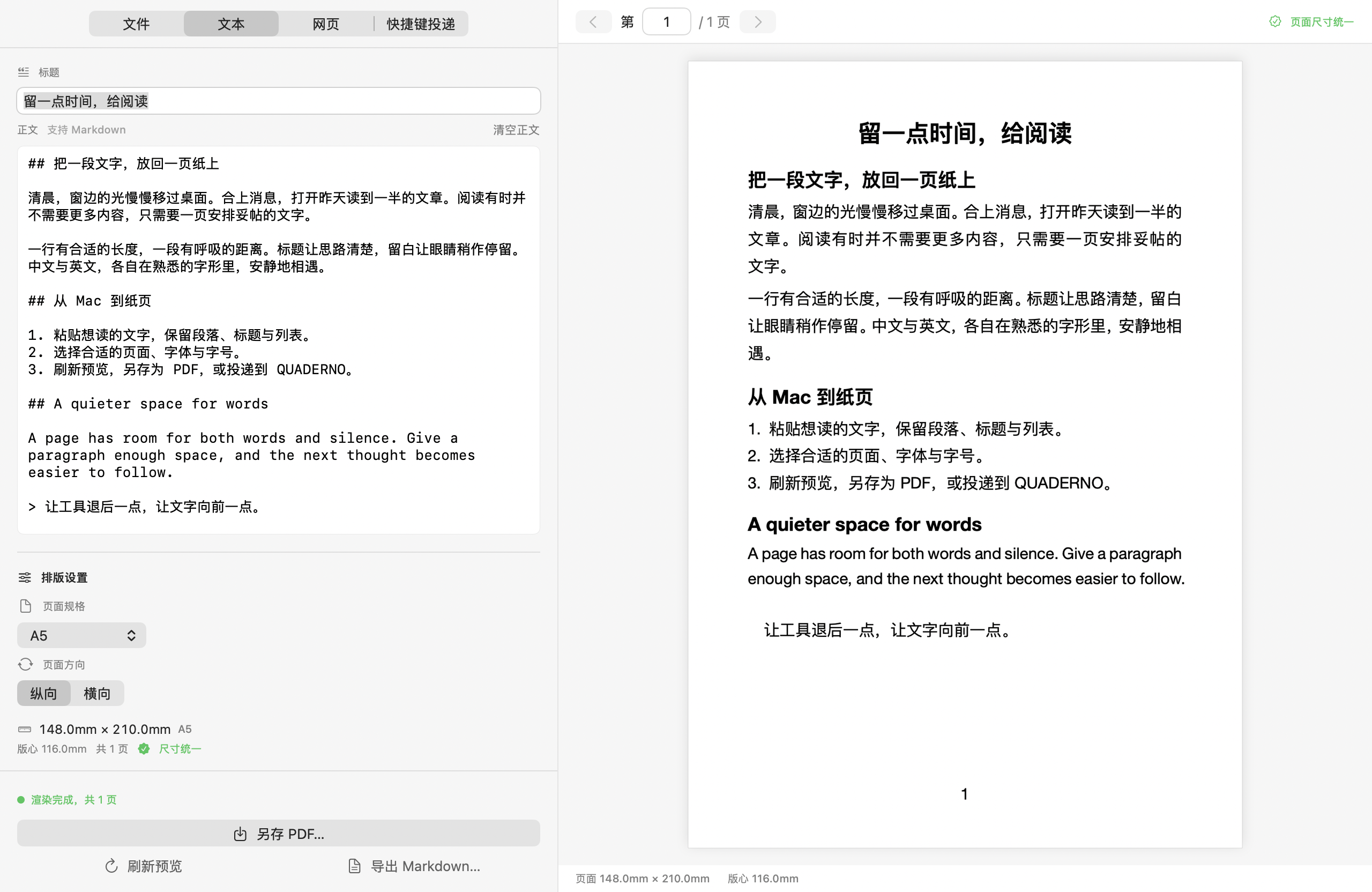
QUADERNO A5 页面按 156.97 × 209.30 mm 排版,尺寸来自推导与直尺校验。字体、字号、行距和页边距可调。The A5 page uses 156.97 × 209.30 mm, derived from the display and checked with a ruler. Adjust font, size, leading and margins.
TrueScale for QUADERNO
按阅读器的真实页面尺寸排版文字、Markdown 和电子书,通过 USB 或 Wi-Fi 直连投递。已有 PDF 保留原版式,直接送到设备。Typeset text, Markdown and e-books for your reader’s physical page size, then send them over USB or Wi-Fi. Existing PDFs are transferred with their original layout.
版本 1.3.0 · Apple Silicon · macOS 14+ · App 支持简体中文 / English / 日本語Version 1.3.0 · Apple Silicon · macOS 14+ · App in 简体中文 / English / 日本語
文本、Markdown 与电子书按目标页面重新排版;已有 PDF 保留原版式直接传输。Text, Markdown and e-books are typeset for the target page; existing PDFs are transferred with their original layout.
QUADERNO A5 页面按 156.97 × 209.30 mm 排版,尺寸来自推导与直尺校验。字体、字号、行距和页边距可调。The A5 page uses 156.97 × 209.30 mm, derived from the display and checked with a ruler. Adjust font, size, leading and margins.
支持文字、Markdown、EPUB、MOBI、FB2、HTML 和微信公众号文章;可在应用内输入,也可从 Finder 右键发送。Work with text, Markdown, EPUB, MOBI, FB2, HTML and WeChat articles. Enter content in the app or send files from Finder.
支持复制的 HTML、TSV 和 Markdown 表格。长表分页并重复表头,超宽表格转换成列表,避免整表缩小。Copied HTML, TSV and Markdown tables keep their structure. Long tables paginate with repeated headers; very wide tables become lists instead of shrinking.
支持 USB 或局域网 HTTPS 直连,日常传输无需打开 QUADERNO PC App。Direct HTTPS over USB or your local network; the QUADERNO PC App does not need to be open for everyday transfers.
复制文字或 Markdown 后按 ⌃1 排版投递;Finder 右键可发送 PDF、电子书和文本文件。失败任务保留 PDF,供稍后重试。Press ⌃1 to typeset and send clipboard content, or use Finder for PDFs, e-books and text. Failed deliveries retain their PDF for retry.
配对时固定设备公钥。上传后读回文件、核对 SHA-256 并确认目录条目;文档写入 Document/Received/,随后请求设备打开。The device public key is pinned at pairing. Files are read back, checked by SHA-256 and confirmed in the directory before an open request is sent. Files go to Document/Received/.
按 ⌃2 保存设备屏幕,支持 PNG、JPEG 或实际尺寸 PDF;设备文件可连同手写批注下载到 Mac。Use ⌃2 to save the screen as PNG, JPEG or a true-size PDF. Device documents can be downloaded with handwriting included.
浏览、搜索、上传、移动和删除设备文件,删除前确认。「最近投递」汇总各入口任务,支持重试和在 Finder 中显示。Browse, search, upload, move and delete device files, with confirmation before deletion. Recent Deliveries brings together all entry points with retry and Reveal in Finder.
从 GitHub Releases 下载,将应用拖入「应用程序」。无需 Homebrew 或终端。Download from GitHub Releases and drag the app into Applications. No Homebrew or Terminal setup.
先在同一台 Mac 上用 QUADERNO PC App 建立一次配对,再通过 TrueScale 设置向导导入配对并自检。Pair once with QUADERNO PC App on the same Mac, then import that pairing and run Check in TrueScale’s setup guide.
连接设备后选择输入并预览,或使用 Finder 右键、⌃1 投递与 ⌃2 截屏。App 与通知支持简体中文、英语及日语。Choose a source and preview it, or use Finder, ⌃1 delivery and ⌃2 screenshots. The app and notifications support Simplified Chinese, English and Japanese.
本页依据独立项目主页整理,核对于 2026-11-11。当前主页列出的 App 版本为 1.3.0(2026-11-07);后续发行与完整说明请查看项目主页。Adapted from the standalone project site, checked on 2026-11-11. It lists app version 1.3.0 (2026-11-07). See the project site for later releases and full documentation.
TrueScale 是独立开源项目,与富士通没有关联,也未获其认可或赞助。项目代码采用 MIT 许可,打包组件各自遵循其许可。TrueScale is an independent open-source project, not affiliated with, endorsed or sponsored by Fujitsu. Project code uses the MIT license; bundled components retain their own licenses.